
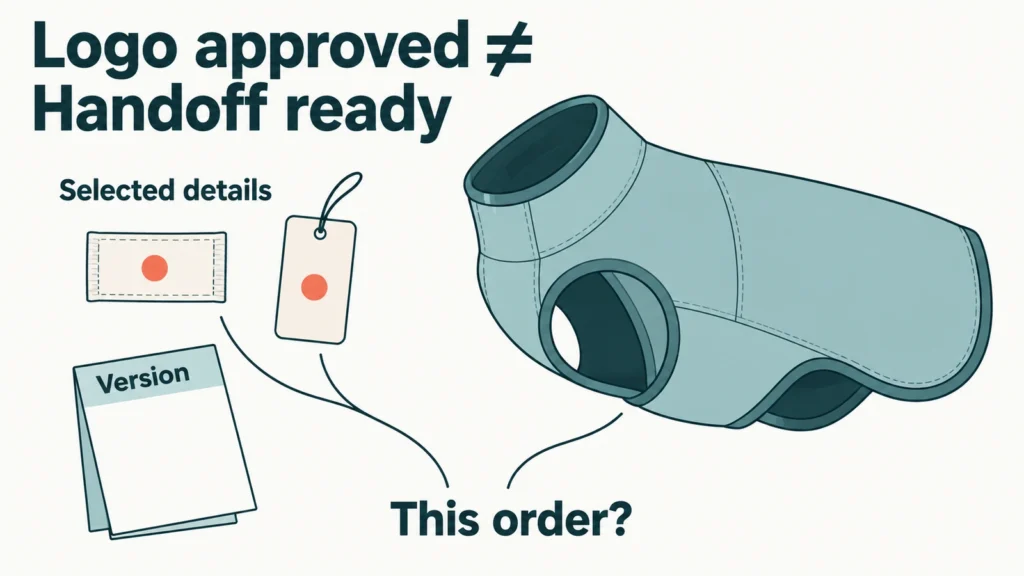
Approving a logo alone does not establish that all selected private-label details are ready for bulk handoff. For each selected component, you and the supplier should be able to identify the applicable artwork, copy or data version, the intended product or variant, what was approved, and what remains unresolved. Brand-detail readiness does not mean overall bulk-production approval.
Use this Meetfunpet proposed buyer framework to make that narrower decision. It is an editorial synthesis, not an industry standard. Ask:
- Which components and versions belong to this order?
- Is their use on the intended product or variant clear?
- What does the approval evidence actually cover?
- Which details remain open or have changed since approval?
Identify the components and versions that belong to this order
Start with the components selected for this order. A sewn label, direct logo application, hangtag and branded packaging are separate items to identify; they are not a compulsory set. A logo file alone does not tell the supplier which of them you want, what other text they carry or where they belong.
Use the record below to connect each selected detail to its version, intended use and approval. Its row describes what to record, not a completed buyer example. Keep the actual files and approval references available alongside the record.
| Private-label detail / Selected? | Applicable version | Order / Product / Variant | Application specification / Reference | Approval evidence / Scope | Status / Unresolved item |
|---|---|---|---|---|---|
| Identify the component and whether it is selected, not applicable or still undecided. | Reference the applicable artwork, exact copy and data revisions. | Identify the order, style and variant, or the explicitly shared range. | Link the agreed application details or marked specification. | Identify the approved object, revision, approver, date and covered details. | Name the open question or affected approval and replacement version. |
Keep separate entries where versions or approval scopes differ. One version may cover several variants if that shared scope is explicit. This is a proposed way to organise the handoff, not a required database structure or a substitute for approval.
Distinguish the saved version from the approved, order-applicable version
Saved, submitted and approved are different states. A brand asset supplies the logo or other brand information; production artwork is prepared for a particular component or process. Neither its filename nor the fact that it was sent establishes approval for this order.
For example, STAHLS’ UltraColor MAX artwork specifications describe printing the submitted artwork, with artist assistance treated separately. That is a product-specific policy, not a rule for every supplier. For your selected service, clarify which production file is being used and whether any changes are still needed.
Link the approval to an identifiable revision and the order it applies to. If wording, language or product data sits in a separate file, identify that version too. An approval for an earlier design or another order does not establish that the current handoff is covered.
Specify how each selected component applies to the product
A correct file still needs a clear application on the intended product. For each selected component, identify:
- Placement: the actual panel, seam or other reference on this pet garment.
- Orientation: the reading direction and relevant face or side.
- Finished dimensions: what is being measured, in which units, including folded or visible dimensions where relevant.
- Colour reference: the reference accepted for the selected process.
- Application method: the agreed way the component or marking will be attached or applied.
Apliiq’s woven-label artwork guidance addresses finished size, design detail, thread colours and sewing space. These are considerations within its service, not universal pet-apparel specifications. Ask your selected supplier to confirm the relevant requirements for your component.
For hangtags, separate the artwork from the format and attachment arrangement. PeterPrint’s hangtag specifications distinguish finished dimensions, front and back artwork, and hole or cutting-line details. Confirm the arrangement selected for your order rather than copying that provider’s numerical specifications.
For selected packaging, link the branding artwork and copy to the product it will contain. Keep care or content wording tied to confirmed product information, and confirm requirements applicable to the actual product, market and channel. This guide does not provide a legal label checklist.
If you are still choosing a label method for pet apparel, resolve that choice separately. Here, the question is whether the chosen method and its application are clearly specified.
Match SKU, GTIN and barcode artwork to the intended variant, where applicable
A SKU is an internal product identifier. A GTIN identifies a trade item; a barcode carries data. Barcode artwork is the graphic prepared for printing. Variant mapping connects those details to the intended style, colour and size.
Use actual buyer data and applicable channel requirements to confirm which identifiers belong on which products. Check the data in the artwork and the intended attachment or packaging separately. GS1 US printing guidance also addresses physical printing and placement: a correct number alone does not establish a readable printed barcode. A readable code does not establish that it belongs to the product carrying it.
Check what each proof or sample approval actually covers
Identify the object behind the approval. “Proof approved” leaves the scope unclear unless both parties know which version and details the decision covers. These objects answer different questions:
- Digital proof: shows the submitted design or layout for review. It is not physical evidence of colour, material, durability or bulk quality.
- Physical component sample: lets you review the actual component within its stated scope. An unattached label does not establish its final position on the garment; a general sample pack is not automatically evidence for your custom version.
- Assembled garment sample: allows review of the component as applied to that identified garment. Its approval does not automatically cover other variants or untested performance.
- Production reference: identifies the object and related documents both parties agree to use for specified approved details. It is an agreed role, not an automatic status given to the newest sample.
Avery explains the limits of screen colour compared with print. PakFactory distinguishes digital packaging previews from production-grade samples. Those sources support keeping the evidence scope explicit; they do not prescribe the same sample process for every order.
You do not need to treat the four objects as mandatory consecutive stages. In the proposed record, state who approved which revision, when, what the evidence supports and what remains unconfirmed. If the available evidence does not cover a detail you intend to approve, identify the additional confirmation needed before including it in that approval.

For the wider task of defining an approved sample as a production reference, use the separate sample-approval guide.
Resolve open details and reassess approvals affected by changes
Unknown is not approved; not applicable is not unresolved. If a component is deliberately excluded, record that decision. If its wording, version, product mapping or approval coverage is unknown, state the specific question that prevents handoff. A blank field or an unanswered message does not settle it.
When something changes after approval, check whether it affects the approved content or its applicability. Garment Decor’s artwork-approval process calls for approval of revised artwork and notes limits on changes after production starts. Its process is a provider-specific example, not a promise that another supplier can stop or alter an order.
Meetfunpet proposes the following questions for an affected approval:
- What changed, and which components, variants or order references does it affect?
- Which earlier approval no longer covers the intended detail or use?
- Which replacement version should now apply?
- Has the supplier received that version, can production still be changed, and what next action is possible?
Record the response and the approval covering the revised scope. Sending a replacement file is not confirmation that it has been accepted or implemented. Do not assume that work can be withdrawn, existing materials removed, or a change made without cost or delay. Reassess the affected details rather than automatically repeating every approval for every component.
Decide whether the stated branding scope is ready to hand off
Use these Meetfunpet proposed buyer-side decision states to describe the next step for the stated branding scope:
- Ready on stated branding scope: the selected components, applicable versions, product or variant and application details can be traced to the intended order. Approval covers the details being handed off, relevant changes have been reconfirmed, and open items affecting that handoff have been resolved. Explicitly inapplicable items are not missing approvals.
- Clarification required: the selected scope, version, application, mapping or approval coverage remains unclear. Identify the question and the confirmation needed; do not treat uncertainty as acceptance.
- Reapproval required after change: a change affects previous approval or its applicability. Identify the affected scope and replacement version, confirm what can still be implemented, and obtain the relevant approval. A change does not automatically require every component to undergo a full new approval cycle.
If you cannot yet tell whether a change affects an approval, clarify that relationship first. Where both missing information and an affected approval remain, keep both actions visible; neither allows the stated scope to be recorded as ready.
If you need help coordinating a specific project, you can discuss your private-label requirements with Meetfunpet. Branding-detail readiness does not mean the entire order is ready for bulk production. Broader product quality and production approval remain separate decisions.